The 3-2-1 Backup Rule
Every physical security system generates enormous amounts of data. A single 4K camera recording continuously at 15 fps with H.265 compression produces roughly 20-30 GB of footage per day. Scale that to a 100-camera deployment and you are looking at 2-3 TB of new data every 24 hours. Losing that data to a drive failure, ransomware attack, or natural disaster can mean losing critical evidence, violating regulatory retention requirements, and exposing your organization to significant liability.
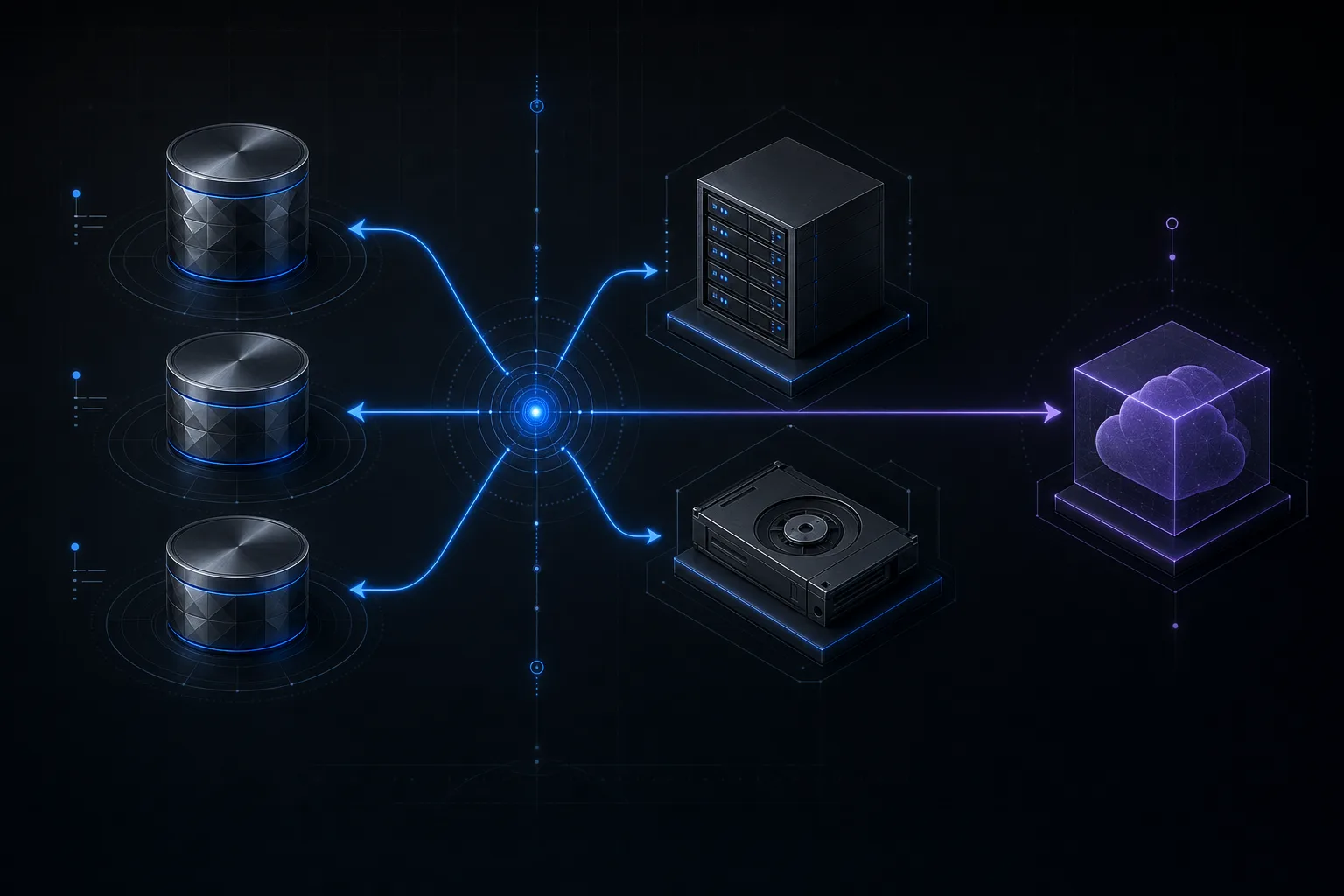
The 3-2-1 backup rule is a time-tested framework originally developed for IT disaster recovery, but it applies directly and powerfully to video surveillance storage. At its core, the rule is simple: maintain three copies of your data, on two different types of media, with one copy stored offsite. This article breaks down how to apply that framework specifically to physical security deployments, covering NVR configurations, secondary storage options, cloud replication, and the cost tradeoffs you need to understand before your next project.
What Is the 3-2-1 Backup Rule?
The concept was popularized by photographer Peter Krogh and has since become the gold standard in data protection across nearly every industry. The three numbers map to three principles:
- 3 copies of your data. This means the original recording plus two additional copies. If one copy is corrupted or destroyed, you still have two others to fall back on.
- 2 different types of media. Storing all three copies on the same type of drive in the same enclosure defeats the purpose. If a firmware bug wipes your RAID array, all copies on that array are gone. By diversifying across media types (e.g., spinning disk NVR plus SSD-based NAS), you reduce the risk of a single failure mode destroying everything.
- 1 copy offsite. Fire, flood, theft, and vandalism can all destroy on-premises equipment. An offsite copy, whether in a cloud bucket, a colocation data center, or a secondary facility, ensures survivability even in a worst-case physical disaster.
Key Insight
The 3-2-1 rule is not about perfection. It is about reducing the probability of total data loss to near zero. Each layer you add does not just add redundancy, it multiplies the protection factor exponentially.
Why This Matters for Video Surveillance
Video surveillance data is different from typical enterprise data in several important ways. First, the volume is massive and continuous. Unlike a file server where data changes incrementally, cameras produce a constant high-bandwidth stream around the clock. Second, video evidence is time-sensitive. A missing recording from a specific hour can mean the difference between a conviction and a dismissed case. Third, many regulated industries, including cannabis, banking, and government, have mandatory retention periods ranging from 30 to 90 days or more.
Despite these stakes, most security integrators deploy NVRs with a single RAID array and no secondary backup at all. The assumption is that RAID protects against drive failure, which it does, but RAID is not a backup. RAID protects against hardware failure of individual disks. It does not protect against accidental deletion, ransomware, firmware corruption, fire, theft of the NVR, or RAID controller failure. These are not hypothetical risks. We have personally responded to incidents involving every single one of these scenarios.
Copy 1: NVR Local Storage (The Primary)
The first copy of your video data lives on the NVR or recording server itself. This is the primary recording destination and the one your VMS writes to in real time. For most deployments, this means a rack-mounted or tower server with multiple hard drives configured in a RAID array.
The choice of hard drives matters significantly. Consumer desktop drives (like the WD Blue series) are not designed for the sustained write workloads of continuous video recording. Instead, use surveillance-rated drives such as the Western Digital Purple Pro or Seagate SkyHawk AI series. These drives are engineered for 24/7 write operations, support up to 64 camera streams per drive, include rotational vibration sensors for multi-bay enclosures, and carry a workload rating of 550 TB per year compared to 55 TB per year for a consumer drive.
Drive capacity should be planned based on your retention requirements. A useful formula for estimating storage needs is:
// Storage Calculation Formula
Storage (TB) = Cameras x Bitrate (Mbps) x Hours/Day x Retention (Days) / 8 / 1000 / 1000
Example: 64 cameras x 8 Mbps x 24 hrs x 30 days = ~166 TB
RAID Configurations for NVRs
RAID (Redundant Array of Independent Disks) is the first layer of protection on your primary recording device. Understanding the tradeoffs between RAID levels is critical for surveillance deployments where both capacity and reliability matter.
RAID 5: Single Parity
RAID 5 stripes data across all disks and distributes parity information so that the array can survive the loss of any single drive. For a 4-drive array of 18 TB drives, you get 54 TB of usable space (you lose one drive worth of capacity to parity). RAID 5 is the most common configuration in small to mid-size NVR deployments because it offers a good balance between capacity, performance, and fault tolerance.
However, RAID 5 has a well-documented weakness with large drives. Rebuilding a failed 18 TB drive in a RAID 5 array can take 24 to 48 hours, during which time the array is running in a degraded state with no redundancy. If a second drive fails during that rebuild window, all data is lost. The probability of this is not negligible with modern high-capacity drives, which is why many engineers now recommend RAID 6 for surveillance arrays with drives larger than 8 TB.
RAID 6: Double Parity
RAID 6 extends the concept by maintaining two sets of parity data, allowing the array to survive the simultaneous failure of two drives. The tradeoff is that you lose two drives worth of capacity. A 6-drive array of 18 TB drives yields 72 TB usable (vs. 90 TB raw). Write performance is slightly lower than RAID 5 due to the additional parity calculations, but for sequential video recording workloads, the difference is minimal and generally not noticeable.
For any NVR deployment with more than 8 drives or using drives larger than 8 TB, RAID 6 is the recommended configuration. The marginal cost of one additional drive is negligible compared to the cost of total data loss during a rebuild.
RAID Comparison at a Glance
| Feature | RAID 5 | RAID 6 |
|---|---|---|
| Fault Tolerance | 1 drive | 2 drives |
| Capacity Overhead | 1 drive worth | 2 drives worth |
| Min Drives Required | 3 | 4 |
| Write Performance | Good | Slightly lower |
| Rebuild Safety | Risky with large drives | Safe during rebuild |
Copy 2: NAS/SAN as Secondary On-Site Backup
The second copy should reside on a separate storage device within your facility, ideally in a different physical location, such as a secondary IDF or a separate server room. The most common options are a Network Attached Storage (NAS) device or a Storage Area Network (SAN).
A NAS connects to your network via standard Ethernet and presents storage as network shares (SMB/NFS) or iSCSI targets. For surveillance backup, a NAS from Synology, QNAP, or TrueNAS configured with its own RAID array provides an independent copy of your data on different hardware, different drives, and potentially different drive firmware. Most enterprise VMS platforms, including Milestone XProtect, Genetec Security Center, and Exacq, support archiving to network storage natively. You can configure automatic failover recording so that if the primary NVR goes down, cameras automatically redirect their streams to the NAS.
A SAN is the higher-performance option, typically using fiber channel or iSCSI over a dedicated storage network. SANs are more common in large enterprise deployments with hundreds of cameras where the I/O demands exceed what a NAS can handle. The cost is significantly higher, but the performance and scalability benefits are substantial.
When configuring your secondary storage, consider a tiered retention approach. Your primary NVR might store high-resolution footage for 14 days, while the NAS stores a lower-resolution or lower-frame-rate copy for 90 days. This gives you the best of both worlds: full-quality recent footage for active investigations and longer-term archival footage for compliance requirements, all without needing identical storage capacity on both systems.
Copy 3: Cloud or Offsite Replication
The third copy is the one that protects you against site-level disasters: fire, flood, tornado, earthquake, or even a targeted physical attack on your facility. If both your NVR and NAS are in the same building and that building burns down, you lose everything. The offsite copy is your insurance policy.
There are two primary approaches to offsite backup for video surveillance:
Cloud Storage
Services like AWS S3, Azure Blob Storage, Google Cloud Storage, or Wasabi offer virtually unlimited capacity with pay-as-you-go pricing. Many VMS platforms now include native cloud archiving integrations. Milestone, for example, offers XProtect Cloud as a hybrid option. Genetec offers Genetec Clearance for cloud evidence management. For cost optimization, leverage storage classes designed for infrequent access. AWS S3 Glacier Deep Archive, for instance, costs roughly $0.00099 per GB per month, which means storing 100 TB of archived video costs about $99 per month. The tradeoff is that retrieval can take up to 12 hours, which is acceptable for disaster recovery but not for day-to-day investigations.
Physical Offsite Replication
For organizations with multiple facilities, replicating video to a NAS or server at a secondary location over a WAN link is often the most practical option. This requires adequate bandwidth between sites. Replicating 100 TB of video over a standard 1 Gbps WAN link would take over 9 days at full speed, so most organizations replicate only clips, alarms, or lower-resolution streams rather than full archives. Technologies like WAN optimization and incremental replication can significantly reduce the bandwidth requirements.
Bandwidth Warning
Before committing to cloud backup for video surveillance, calculate your daily upload requirements against your available upstream bandwidth. A 64-camera system generating 2 TB per day requires a sustained upload speed of approximately 185 Mbps just for the backup traffic alone. Factor in overhead and your existing WAN utilization before sizing the circuit.
Retention Policy Planning
Your backup strategy is only as good as your retention policy. Different stakeholders within an organization often have conflicting requirements. Security operations may want 90 days of footage. Legal may want specific incident footage preserved indefinitely. Finance wants to minimize storage costs. IT wants to minimize infrastructure complexity.
A well-designed retention policy addresses these competing needs with a tiered approach:
- Tier 1 (Hot Storage, 7-14 days): Full-resolution, full-frame-rate recording on the primary NVR. Instantly accessible for live playback and investigation. Stored on high-performance surveillance-grade HDDs in RAID 5 or RAID 6.
- Tier 2 (Warm Storage, 30-90 days): Reduced-resolution or motion-only recording on the secondary NAS/SAN. Accessible within seconds to minutes. Lower cost per TB due to reduced quality settings and potentially using archive-class drives.
- Tier 3 (Cold Storage, 90+ days): Cloud or offsite archive. Lowest cost per TB. Retrieval times measured in hours. Typically used only for compliance retention or preserved incident footage.
Document your retention policy formally and review it annually. Ensure it aligns with applicable regulations, including state-specific video retention laws, industry standards (such as PCI-DSS for retail), and any contractual obligations with tenants, clients, or insurance providers.
Disaster Recovery Scenarios
To validate your backup strategy, walk through these common disaster scenarios and confirm your system can recover from each:
- Single Drive Failure: RAID handles this automatically. No data loss, no downtime. Replace the failed drive and the array rebuilds. Ensure you have hot spares configured for unattended recovery.
- NVR Total Loss (Hardware): The secondary NAS still has a copy. Deploy a replacement NVR, restore configuration from backup, and resume recording. Historical footage remains accessible from the NAS.
- Ransomware Attack: If both NVR and NAS are on the same network and both get encrypted, the offsite/cloud copy is your only recovery option. This is why the offsite copy should use immutable storage (S3 Object Lock, Azure Immutable Blob) to prevent ransomware from deleting or encrypting it.
- Facility Destruction (Fire/Flood): Both on-site systems are destroyed. The cloud copy ensures business continuity. Insurance claims, criminal investigations, and compliance requirements can all be satisfied from the offsite archive.
- Accidental Deletion: A technician or administrator accidentally deletes footage. If the deletion propagates to the NAS via sync, the cloud copy, especially one with versioning enabled, allows recovery of the deleted files.
Cost Analysis of Storage Tiers
Budget is always a factor. Here is a realistic cost breakdown for a 64-camera deployment with 30-day primary retention and 90-day archive retention:
Estimated Costs (64-Camera Deployment)
Primary NVR (RAID 6, 8x 18TB)
Dell PowerEdge or equivalent + drives
Secondary NAS (RAID 6, 8x 18TB)
Synology RS3621xs+ or equivalent
Cloud Archive (100 TB, S3 Glacier)
Monthly recurring cost
Total First-Year Cost
Hardware + 12 months cloud
Compare this to the cost of total data loss: legal liability from missing evidence, regulatory fines for non-compliance, insurance claim denials, and the labor cost of re-investigating incidents without video. For most organizations, the total cost of a proper 3-2-1 backup strategy represents less than 15-20% of the overall surveillance system budget, a reasonable insurance premium against catastrophic data loss.
Implementation Checklist
Use this checklist to evaluate and improve the backup posture of your next surveillance deployment:
- Primary NVR configured with RAID 5 (small deployments) or RAID 6 (large deployments, drives larger than 8 TB)
- Surveillance-rated drives installed (WD Purple Pro, Seagate SkyHawk AI, or equivalent)
- Hot spare drive configured for automatic rebuild
- Secondary NAS/SAN deployed in a separate physical location within the facility
- VMS configured to archive to secondary storage on a schedule
- Failover recording configured so cameras write to NAS if NVR fails
- Cloud or offsite replication configured with immutable storage
- Retention policy documented and reviewed by legal/compliance
- Disaster recovery test performed at least annually
- SMART monitoring and drive health alerts enabled on all storage devices
Conclusion
The 3-2-1 backup rule is not a luxury reserved for enterprise clients with unlimited budgets. It is a fundamental best practice that scales from a 16-camera retail store to a 2,000-camera logistics hub. The specific hardware and cloud services will vary based on the size and budget of each deployment, but the principle remains the same: three copies, two media types, one offsite.
At Zimy Electronics, we design every surveillance system with data protection built in from day one. Whether you are upgrading an existing system or planning a greenfield deployment, our engineering team can help you architect a storage and backup strategy that meets your retention requirements, your budget constraints, and your risk tolerance.