Immersive Audio. Dynamic Visuals.
Transform your corporate spaces with distributed audio, video conferencing, and digital signage that just works.
Not ready for a full quote? Talk to an engineer first.
ZEI designs and integrates commercial audio-video systems that work the first time and every time after — Microsoft Teams Rooms and Zoom Rooms, distributed audio and digital signage, sound masking, and acoustic treatment, all centrally managed and serviced by our team.
Technology Partners





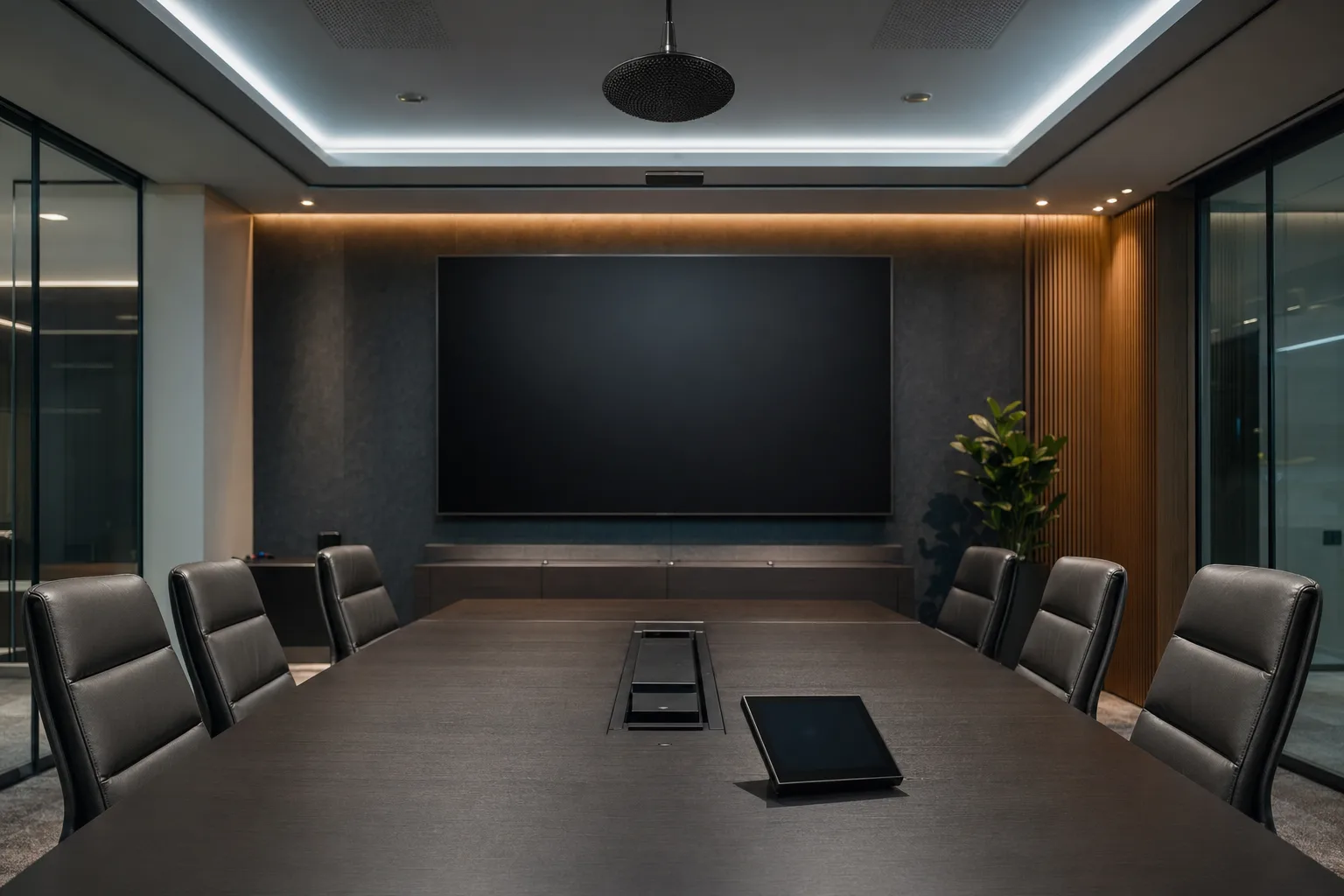
A representative environment where ZEI engineers, deploys, and supports commercial a/v.
Where current systems fall short.
- Conference rooms where the first 10 minutes of every meeting is spent fighting the technology
- Inconsistent A/V experience across rooms making remote collaboration frustrating
- Digital signage that nobody can update without IT involvement
- Distributed audio systems where one zone fails and silences entire areas
- Acoustic privacy issues in open floor plans and healthcare lobbies
Elevate Your Environment
Create engaging spaces for your employees and customers with intuitive, high-fidelity A/V solutions.
Conference Rooms
Zoom and Microsoft Teams Rooms with auto-framing cameras, ceiling beamforming microphones, and one-touch join capabilities.
Distributed Audio
Multi-zone background music and paging systems for retail, hospitality, and corporate environments, controlled from a single interface.
Digital Signage
Centrally managed displays for corporate communications, menu boards, or wayfinding, updated instantly from the cloud.
Sound Masking
Engineered white noise systems that reduce distractions and protect speech privacy in open-plan offices and healthcare facilities.
What gets installed.
A real deployment is more than the headline product. These are the components we typically specify and integrate.
UC room kits
Microsoft Teams Rooms, Zoom Rooms, Google Meet hardware (Logitech, Poly, Crestron, Neat) certified for the platform.
Displays & video walls
Commercial-grade displays with 24/7 ratings; LED video walls for high-impact spaces.
Audio DSP & amplifiers
Networked DSP (QSC Q-SYS, Biamp, Crestron) with multi-zone amplification and acoustic echo cancellation.
Distributed speakers
Ceiling, pendant, and outdoor speakers tuned per room with proper coverage modeling.
Control surfaces
In-room touch panels, room scheduling panels, and centrally managed presets.
Digital signage CMS
Cloud-managed content delivery with role-based publishing and player health monitoring.
Sound masking
Engineered white-noise systems for speech privacy in offices, healthcare, and legal spaces.
Connects to what you already run.
Our commercial a/v integrate with your existing identity, communication, and security systems for unified operations.
Active Directory
Identity & access
Slack / Teams
Connected communication
HR Platforms
People & permissions
VMS Systems
Video intelligence
Alarm Panels
Signals & response
Fire Systems
Life safety coordination
Building Mgmt
Facility orchestration
Custom API
Data without silos
How it gets built.
Every project follows the same engineering-led sequence — designed, documented, and delivered with no surprises.
- 01
Discovery & room program
Stakeholder interviews and room-by-room program: who uses it, for what, with what UC platform, what content sources.
- 02
Acoustic & lighting review
Measure RT60, ambient noise, lighting, and existing finishes; recommend acoustic and lighting changes where needed.
- 03
Engineered design
Signal-flow drawings, equipment list, infrastructure requirements, and room-level UX defined before purchase.
- 04
Installation
Cabling, mounting, rack build, and termination — clean, labeled, documented.
- 05
Programming & calibration
DSP tuning, control programming, UC platform enrollment, and per-room QA.
- 06
Adoption support
Per-room user guides, IT admin training, and a launch period of close support.
What our engineers look for.
- Room acoustics are measured before equipment is selected — under-treated rooms make even great hardware fail.
- Signal flow is designed end-to-end: source, switching, DSP, amplification, speakers, control — no improvisation in the field.
- UC platform certification matters: Teams-certified hardware and Zoom-certified hardware are tested together by the manufacturer.
- Network design is part of A/V design: PoE budget, multicast support, and Dante / AVB / SDVoE traffic isolation.
- Day-2 management is designed in: every device on the management dashboard, every room with a known good preset.
After the install.
Service tiers built around what your facility actually needs — not a one-size-fits-all SLA.
Annual on-site preventive maintenance, firmware updates, and remote support during business hours.
Quarterly room QA, 24/7 remote monitoring of every device, and 4-hour response for executive rooms.
Fully managed A/V operations: device monitoring, content publishing, change management, and refresh planning.
A/V Environments
Tailored solutions for different commercial spaces.
Corporate Workspaces
Solutions focused on collaboration and communication.
- Boardroom automation
- Huddle space video conferencing
- Town hall presentation systems
- Acoustic treatment
- Room scheduling panels
Retail & Hospitality
Solutions focused on customer experience and ambiance.
- High-fidelity background music
- Large-format video walls
- Outdoor weatherproof audio
- Interactive kiosks
- Centralized content management
Where this system fits.
Education
Creating safe learning environments with integrated lockdown systems, vape detection, and campus-wide mass notification
Healthcare
Securing hospitals, clinics, and pharmacies while maintaining strict HIPAA compliance and ensuring a safe environment for patient care
Hospitality
Discreet, high-performance security and networking solutions that protect guests and staff without disrupting the hospitality experience
Retail
Integrated loss prevention and retail analytics to protect your bottom line while gathering actionable intelligence on customer behavior
Condominiums
Elevating the resident experience while securing property perimeters, amenities, and common areas with smart building technology
Banking
Protecting financial assets, sensitive data, and personnel with integrated security systems that meet strict regulatory requirements
Often deployed together.
Networking & Wifi
ZEI engineers commercial network infrastructure that the rest of your facility depends on — structured cabling, managed switching, Wi-Fi 6E / 7, next-generation firewalls, and SD-WAN
Cloud Infrastructure
ZEI hosts and manages cloud infrastructure for physical security, video, and building systems on AWS, GCP, and Azure
Intercom Systems
ZEI deploys IP and SIP-based intercom systems that connect entry stations to mobile apps, desk phones, and security operations — bringing visitor management, video, and access control into a single workflow
From the engineering blog.
Background reading our team uses when designing commercial a/v systems.
Server Room Cable Management 101
Server-room cable management is treated as cosmetic until a misrouted patch cord causes an outage. Done right, it pays back every change you make.
Bandwidth Calculator: How Much Do You Need?
Why Bandwidth Planning Matters The most common reason IP surveillance systems underperform has nothing to do with the cameras.
System Commissioning: The Phase That Separates Professionals from Installers
Installation is the easy part. Any crew can mount cameras, pull cable, and rack equipment.
Frequently asked.
Microsoft Teams Rooms or Zoom Rooms?
Can you bring our existing displays into a new system?
How do you handle room reservations?
What about huddle rooms and BYOD spaces?
How do you support multi-site rollouts?
Let's build your system.
Tell us about your facility. Our engineering team will design a system tailored to your security, connectivity, and automation requirements.
Request a Quote